Resume Diff AI
An intelligent resume screening platform that leverages GPT-4o to instantly match candidates against job requirements, delivering quantified compatibility scores and actionable hiring insights.
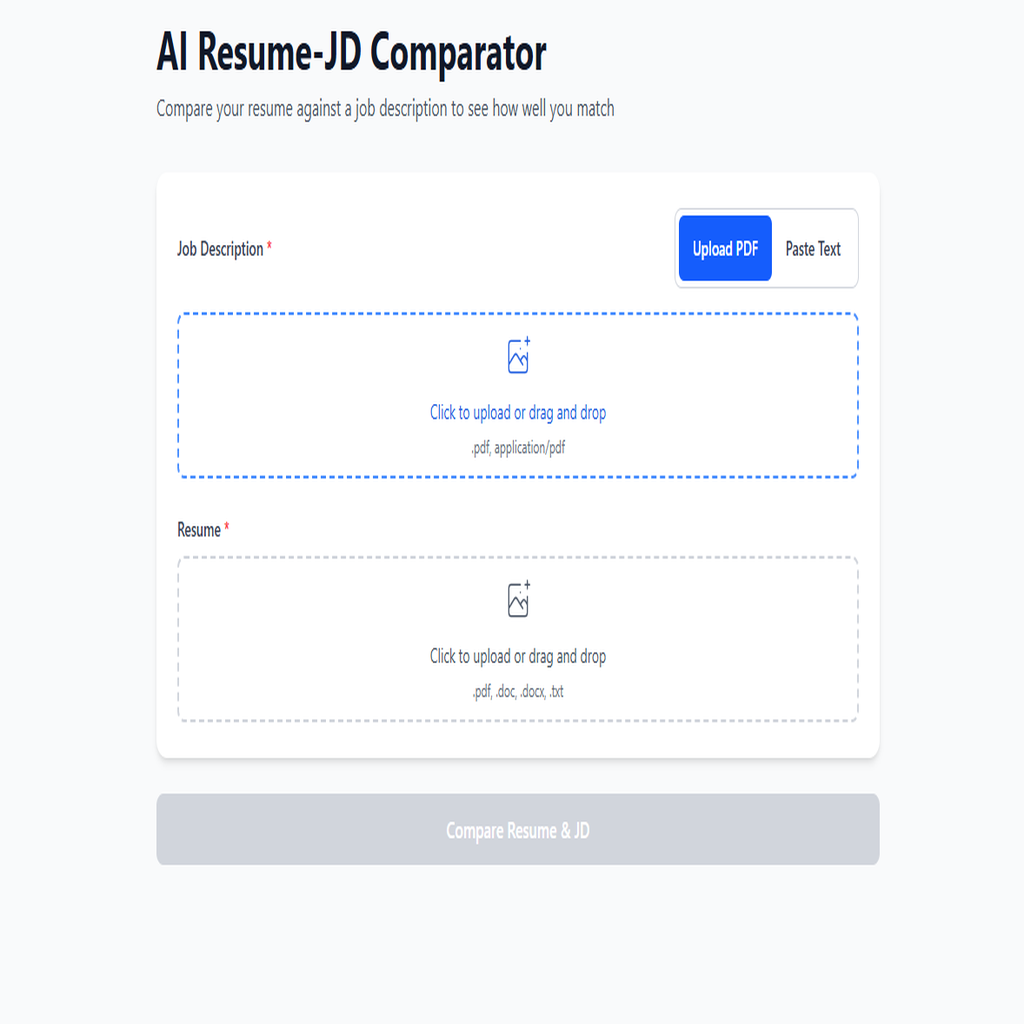
Resume Diff AI is a production-grade, serverless application that transforms the tedious resume screening process into an instant, AI-powered analysis. Built on a robust FastAPI backend deployed to AWS Lambda, the platform processes multiple document formats and leverages OpenAI's GPT-4o-mini to deliver precise skill matching with quantified results. User authentication is secured through JWT tokens with bcrypt password hashing, backed by MongoDB Atlas for scalable data persistence. The mobile-first React frontend, built with TypeScript and Vite for lightning-fast performance, features an intuitive drag-and-drop interface, real-time progress visualization, and one-click export capabilities. Designed for recruiters, HR professionals, and job seekers who need instant, data-driven resume insights.
- ✓GPT-4o-powered resume analysis with structured JSON output for reliable skill extraction
- ✓Quantified match percentage with detailed skill gap identification
- ✓Secure JWT-based authentication with bcrypt password hashing and refresh token rotation
- ✓Serverless architecture on AWS Lambda with MongoDB Atlas for infinite scalability
- ✓Multi-format document parsing (PDF, DOCX, DOC, TXT) with intelligent text extraction
- ✓Mobile-first React SPA with animated progress visualization and interactive skill chips
- ✓One-click CSV export and clipboard copy for seamless workflow integration
- ✓Request cancellation for responsive UX during long-running AI analysis
- ✓Comprehensive input validation with regex email verification and password strength enforcement
Technical Deep Dive
Ensuring consistent, structured AI output across varied resume and job description formats
Solution
Engineered precise OpenAI prompts with strict JSON schema enforcement for 100% parseable responses
Implementation
OpenAI Prompt Engineering for Structured JSON Output
COMPARISON_PROMPT_TEMPLATE = """
You are a strict JSON generator. Compare the following
Job Description (JD) text and Resume text, and output a
single JSON object with exactly these keys:
- matchPercent (integer 0-100)
- matchedSkills (array of strings)
- missingSkills (array of strings)
- highlights (optional)
- warnings (optional)

Instructions:
1. Identify skill tokens and role requirements from JD
2. Find which skills are present (matched) vs missing
3. Compute matchPercent = round(100 * matched / total)
4. Return EXACTLY one JSON object and nothing else

The JSON must be the ONLY content in your response.
"""Managing serverless cold starts while maintaining responsive user experience
Solution
Implemented Lambda lifespan management with Mangum ASGI adapter for proper MongoDB connection pooling
Implementation
Lambda Lifespan Management with Mangum
from mangum import Mangum
from main import app

# lifespan='auto' ensures FastAPI lifespan events
# (MongoDB connection) are called on cold start
handler_api_gateway = Mangum(
    app,
    lifespan='auto',
    api_gateway_base_path='/prod'
)
handler_function_url = Mangum(app, lifespan='auto')

def handler(event, context):
    """Smart handler that detects request source."""
    request_context = event.get('requestContext', {})
    domain_name = request_context.get('domainName', '')

    if 'lambda-url' in domain_name:
        return handler_function_url(event, context)
return handler_api_gateway(event, context)Implementing secure authentication that works seamlessly in a stateless Lambda environment
Solution
Built stateless JWT authentication with secure refresh token flow and MongoDB-backed token blacklisting
Implementation
Stateless JWT Authentication with Refresh Tokens
def create_access_token(
    data: dict,
    expires_delta: Optional[timedelta] = None
) -> str:
    """Create short-lived access token (30 min)."""
    to_encode = data.copy()
    expire = datetime.utcnow() + (
        expires_delta or timedelta(minutes=30)
    )
    to_encode.update({
        'exp': expire,
        'iat': datetime.utcnow(),
        'type': 'access'
    })
    return jwt.encode(
        to_encode,
        settings.JWT_SECRET_KEY,
        algorithm='HS256'
    )

def create_refresh_token(data: dict) -> str:
    """Create long-lived refresh token (7 days)."""
    to_encode = data.copy()
    expire = datetime.utcnow() + timedelta(days=7)
    to_encode.update({
        'exp': expire,
        'iat': datetime.utcnow(),
        'type': 'refresh'
    })
    return jwt.encode(
        to_encode,
        settings.JWT_SECRET_KEY,
        algorithm='HS256'
)Handling concurrent file uploads and text extraction without memory constraints
Solution
Leveraged async/await patterns throughout the stack for efficient I/O-bound operations
Implementation
Async File Processing with Memory Management
async def extract_text_from_file(
    upload_file: UploadFile
) -> Tuple[str, Optional[str]]:
    """Extract text from uploaded file with memory safety."""
    filename = upload_file.filename or 'unknown'
    content_type = upload_file.content_type or ''

    # Read file content asynchronously
    file_content = await upload_file.read()
    file_size = len(file_content)

    # Validate file size BEFORE processing
    if file_size > settings.MAX_FILE_SIZE:
        raise ValueError(
            f'File size ({file_size} bytes) exceeds maximum'
        )

    # Route to appropriate parser based on type
    if content_type == 'application/pdf':
        return extract_text_from_pdf(file_content, filename)
    elif content_type in DOCX_TYPES:
        return extract_text_from_docx(file_content, filename)
    elif content_type in TEXT_TYPES:
        return extract_text_from_txt(file_content, filename)
    else:
        raise ValueError(f'Unsupported file type: {content_type}')