Vercel Clone: Serverless Deployment Platform
A production-grade, serverless platform for deploying frontend applications with automatic builds, real-time logs, and per-project CDN distributions, inspired by Vercel.
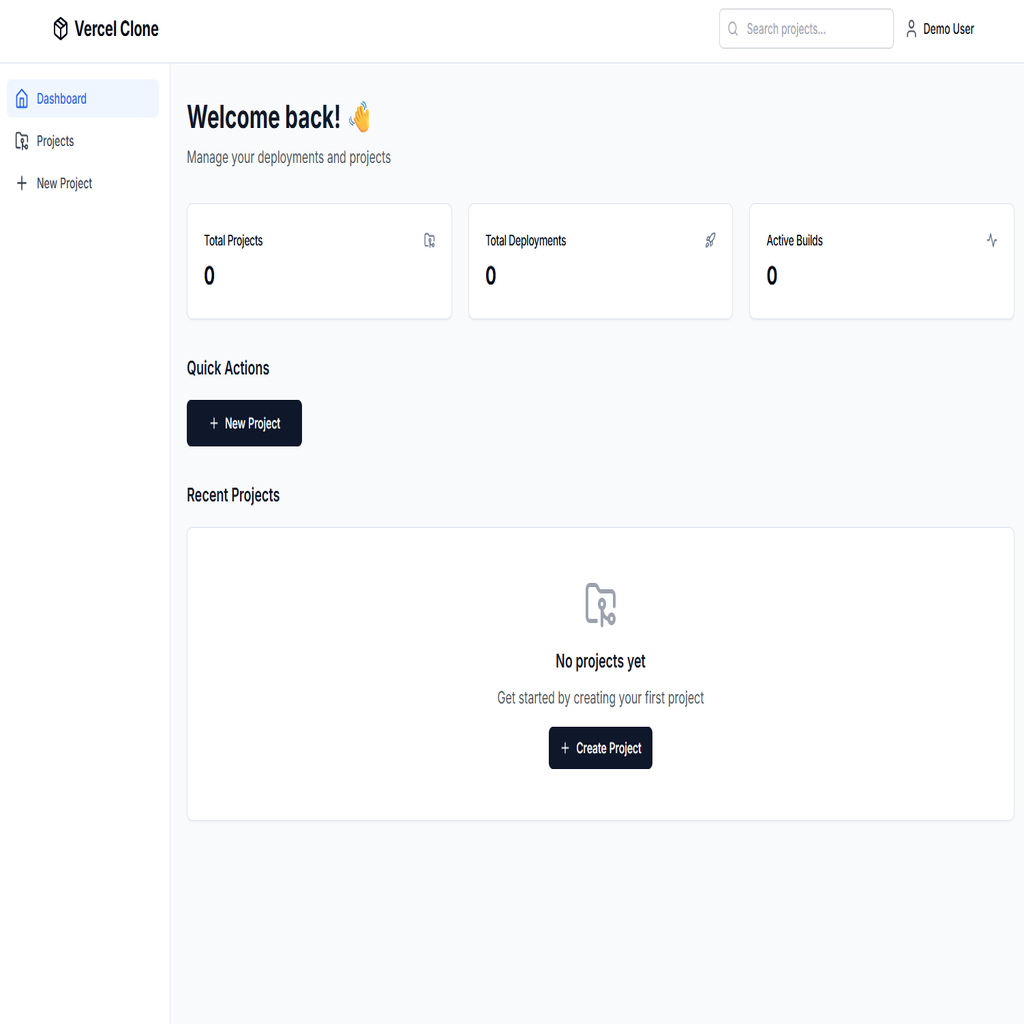
Vercel Clone is a full-stack, serverless deployment platform built on AWS and Go for the backend, and React + TypeScript for the frontend. It enables users to create projects from GitHub repositories, trigger builds with branch selection, and deploy static sites with unique CloudFront distributions per project. The backend leverages AWS Lambda (ZIP and Docker-based), API Gateway, S3, DynamoDB, SQS, and CloudFront for scalable, event-driven workflows. The Worker Lambda runs in a Docker container with Git, Node.js, and npm pre-installed for executing builds. Real-time build logs are streamed to DynamoDB and polled by the frontend for live updates. The frontend provides a modern dashboard for managing projects, viewing deployments, and monitoring build progress with auto-scrolling logs.
- ✓Serverless architecture with AWS Lambda, API Gateway, S3, DynamoDB, SQS, and CloudFront
- ✓Docker-based Worker Lambda with Git, Node.js, and npm for build execution
- ✓Per-project CloudFront distributions with proper SPA routing (404 → index.html)
- ✓Real-time build log streaming via DynamoDB with 3-second frontend polling
- ✓GitHub repository cloning with branch selection support
- ✓Automatic build detection (Vite, Create React App, Next.js static export)
- ✓Live deployment status updates with optimistic UI patterns
- ✓Modern React dashboard with project management and deployment history
- ✓GitHub Actions CI/CD pipeline for automated backend deployments
- ✓IAM least-privilege permissions for secure AWS resource access
Technical Deep Dive
Running Git and Node.js build tools inside AWS Lambda's constrained environment
Solution
Used Docker-based Lambda with custom image containing Git, Node.js 20, and npm pushed to ECR
Implementation
Real-time Log Writing to DynamoDB
// Write build log entry to DynamoDB for real-time streaming
func logToDB(ctx context.Context, deploymentID, level, source, message string) {
    logSequence++
    _, err := buildLogRepo.AddLog(ctx, deploymentID, level, source, message, logSequence)
    if err != nil {
        logger.Error("Failed to write log to DynamoDB", "error", err)
    }
}

// Called throughout build process
logToDB(ctx, deploymentID, "info", "git", "Cloning repository...")
logToDB(ctx, deploymentID, "info", "npm", "Installing dependencies (npm ci)")
logToDB(ctx, deploymentID, "info", "build", "Running Vite build")
logToDB(ctx, deploymentID, "info", "deploy", "Uploading to S3")Streaming build logs in real-time from a stateless Lambda function to the frontend
Solution
Wrote build logs to DynamoDB with deployment-index GSI, enabling efficient polling queries ordered by timestamp
Implementation
React Query: Poll Build Logs with Auto-Stop
// Poll logs while building, continue 1 minute after completion
const isBuilding = deployment?.status === 'building' || deployment?.status === 'pending';
const [stopPollingLogs, setStopPollingLogs] = useState(false);

const { data: buildLogs = [] } = useBuildLogs(
  deploymentId,
  (isBuilding || !stopPollingLogs) && !!deploymentId
);

// Stop polling 1 minute after build completes
useEffect(() => {
  if (deployment?.status === 'success' || deployment?.status === 'failed') {
    const timer = setTimeout(() => setStopPollingLogs(true), 60000);
    return () => clearTimeout(timer);
  }
}, [deployment?.status]);Implementing proper SPA routing for deployed sites without server-side configuration
Solution
Configured CloudFront custom error responses (403/404 → /index.html with 200 status) for SPA routing
Implementation
CloudFront Distribution with SPA Routing
// Create CloudFront distribution with SPA routing support
distInput := &cloudfront.CreateDistributionInput{
    DistributionConfig: &types.DistributionConfig{
        Origins: &types.Origins{
            Items: []types.Origin{{
                Id:         aws.String("S3Origin"),
                DomainName: aws.String(bucketDomain),
                OriginPath: aws.String("/" + s3Prefix),
                S3OriginConfig: &types.S3OriginConfig{
                    OriginAccessIdentity: aws.String(""),
                },
            }},
        },
        DefaultRootObject: aws.String("index.html"),
        CustomErrorResponses: &types.CustomErrorResponses{
            Items: []types.CustomErrorResponse{
                {ErrorCode: aws.Int32(404), ResponseCode: aws.String("200"),
                 ResponsePagePath: aws.String("/index.html")},
                {ErrorCode: aws.Int32(403), ResponseCode: aws.String("200"),
                 ResponsePagePath: aws.String("/index.html")},
            },
        },
    },
}Managing per-project CloudFront distributions and their lifecycle
Solution
Created CloudFront distributions dynamically per deployment with S3 Origin Access Control for secure asset serving